Runs 100% locally
Sound likeyou are in-game
Voice Reverb changes Automatically with your Gameplay
For streaming and gaming content
Works with OBS
 Gameplay AutoReverb
Intelligent Immersion
Gameplay AutoReverb
Intelligent Immersion
Download
Windows 10/11 · 64-bit
Cathedral
Huge space, long reverb.
Spaceship
Metal corridor, tight reflections.
Dungeon
Stone walls, dark reflections.
Forest
Soft outdoor reflections.
Reverb off
In menus, loading screens, etc.
Your microphone recording stays in this browser and is not uploaded.
Voice reverb that adapts to your game.
Gameplay AutoReverb detects the in-game environment and automatically matches your microphone reverb to the scene.
Recognizes the environment shown in your game.
Selects reverb that fits the acoustic space.
Smoothly changes your voice as the scene changes.
Automatic scene matching
Adapts reverb as you move between caves, cathedrals, forests, dungeons, and spaceship interiors.
Built for OBS
Processes your microphone through the included VST3 effect, ready for streams and recordings.
Control when you need it
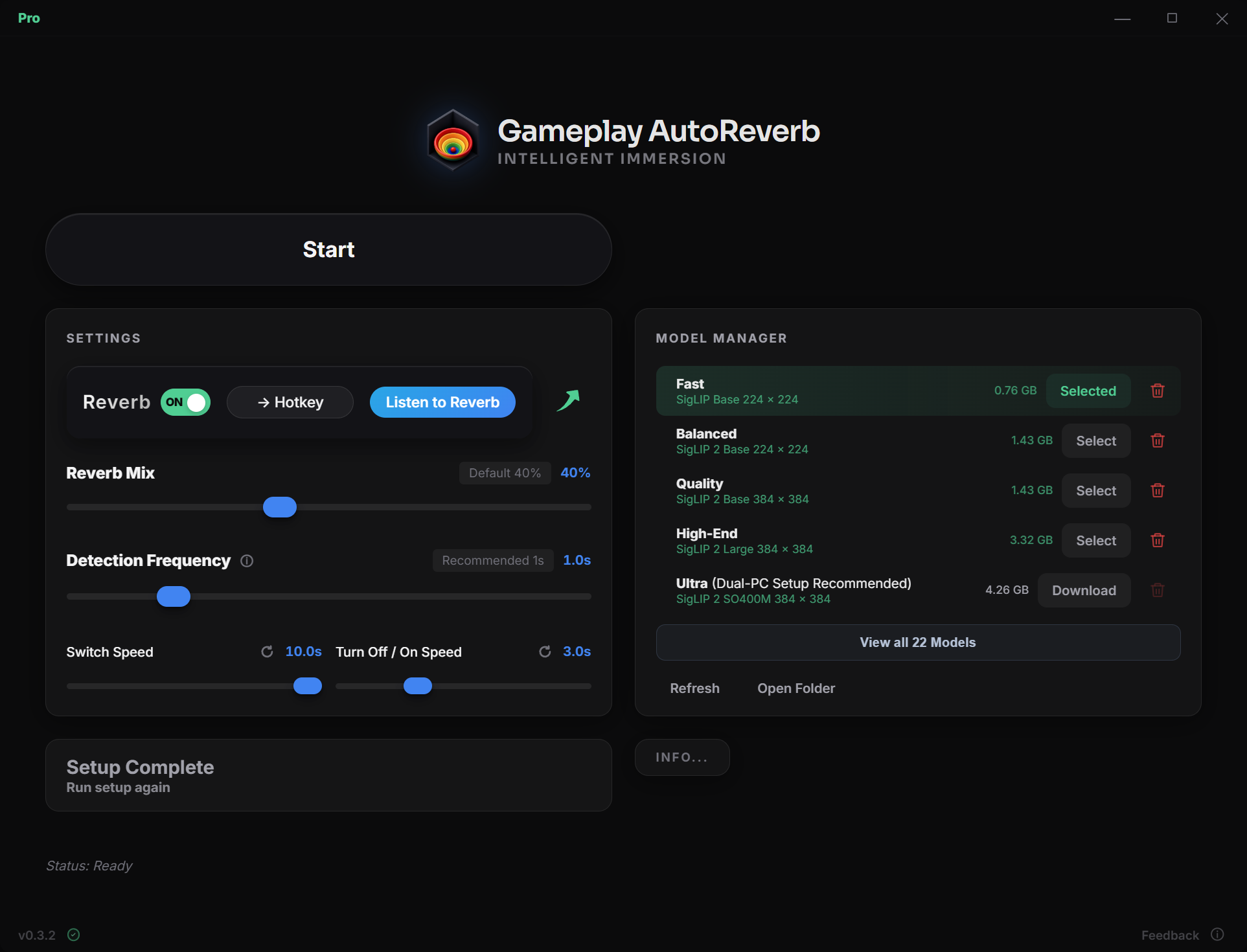
Toggle reverb, preview the effect, set a hotkey, and adjust the mix from one panel.
100% local
Scene detection and audio control run on your PC. No gameplay or microphone audio is uploaded.
Free vs Pro
Free includes automatic immersive voice reverb and essential controls. Pro adds more capable local models, customization, and finer control.
- No time limit
- Automatic scene-based voice reverb
- Same reverb quality as Pro
- Smooth transitions between environments
- Local scene detection and audio processing
- Basic Controls
Download
Windows 10/11 · 64-bit
US$19.99
one-time payment · incl. applicable taxes
- Everything in Free
- Adjustable Reverb Mix
- Choose from more powerful local AI models
- Real-time Reverb Mix View
- Advanced controls for scene response and transitions
- Support the Creator
Get Pro
purchase info
- License:
- personal Pro license with no fixed end date.
- Delivery:
- a Pro license key is provided after a successful checkout and entered in the downloaded app.
- Requirements:
- Requires Internet Connection at Startup.
- Seller:
- Paddle is the seller and Merchant of Record, handling payment, applicable taxes, invoicing, and refunds.